The ERP synced to the production workstation
A cross-platform desktop client that syncs ERP data to the local machine, to streamline production, secure file exchange and trace every operation.
ClientPXL Ops Desktop
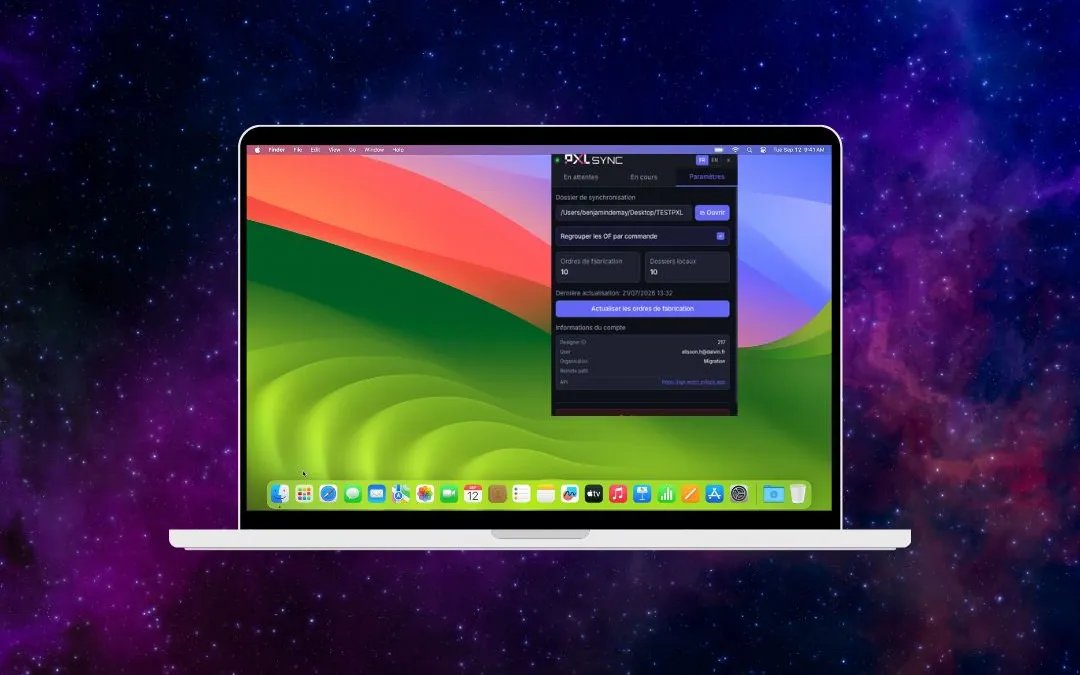
The desktop counterpart to the field app
Where the PXL Ops mobile app equips operators on the floor, its desktop edition works at the workstation: it brings ERP data close to the machine that produces, without the operator juggling several interfaces.
The need: to have the information production requires available locally and up to date, even when the ERP is remote or the network is unstable, while keeping a reliable record of what was exchanged.
Bring the ERP to the workstation without duplicating its truth
Syncing ERP data to a local machine raises two risks: divergence — two versions of the same information — and the security of the files in transit. A naive sync creates more problems than it solves.
The estate added a constraint: production workstations run on Mac, Windows or Linux. The client had to offer the same experience everywhere, with no watered-down version on any of them.
A single desktop client, secure and traceable
We built a desktop client that syncs the ERP to the local machine in a controlled way: secure file exchange, an operations log, and one executable across all three systems.
ERP-to-local synchronisation
The client pulls the data production needs and makes it available locally, so the workstation works on up-to-date information without depending continuously on the remote ERP.
Secure file exchange
Files moving between the ERP and the workstation are exchanged securely, protecting sensitive production data throughout their journey.
Operation traceability
Every sync and exchange is logged: you know what was transferred, when and to which workstation. Traceability is built in, not reconstructed after the fact.
Cross-platform: Mac, Windows and Linux
One client, the same experience across all three operating systems, which simplifies rollout and maintenance on a mixed estate.
The technologies we chose
A desktop client built with Laravel and NativePHP, packaged via Electron for Mac, Windows and Linux. It handles data synchronisation from the ERP, secures file exchange and logs operations.
Laravel
NativePHP
Electron
Mac / Windows / Linux
Production works on up-to-date, traceable data
The production workstation has ERP data locally, with secure exchanges and a full operations history. The desktop client complements the mobile app to cover the whole chain, from the floor to the workstation.


Working on something similar?
Give us thirty minutes. We will tell you plainly what is feasible, at what budget and on what timeline.